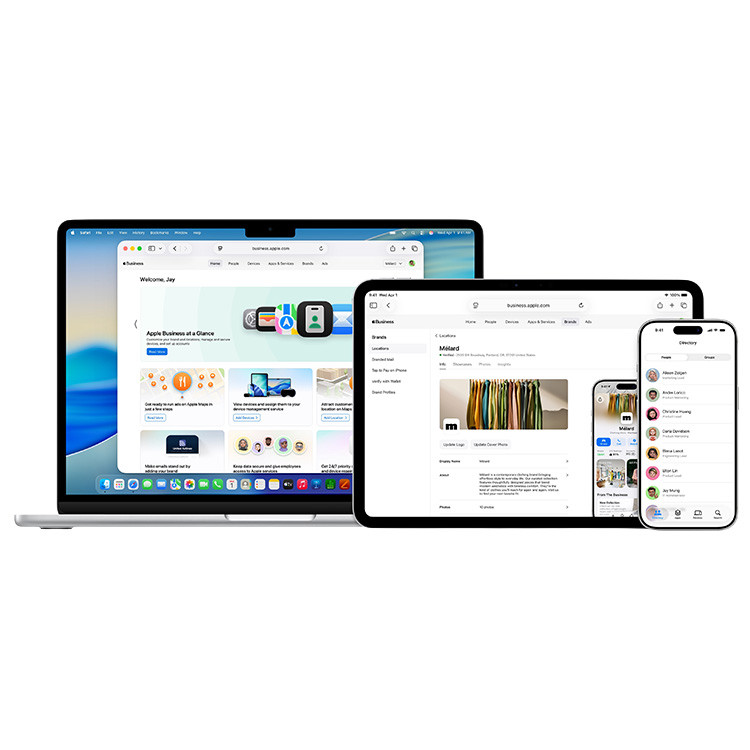
For many SMB employees, a heavy workstation laptop is not at all necessary. Instead, the MacBook Neo is designed for work that revolves primarily around communication, administration and cloud applications.
Administration and office work
For e-mail, Microsoft 365, Google Workspace or accounting software, the MacBook Neo is more than adequate.
Consider, for example:
- manage email and calendar
- quote
- processing spreadsheets and documents
- Working in CRM or ERP systems
Modern cloud workspace
Many companies today operate entirely in the cloud. Applications such as:
- Microsoft 365
- Odoo
- HubSpot
- Exact
- web portals and dashboards
run smoothly on this MacBook.
Video calling and collaboration
With the built-in camera and microphones, the laptop is excellent for video calling via:
- Microsoft Teams
- Zoom
- Google Meet
Ideal for organizations that operate hybrid.
Sales, consulting and field service
The MacBook Neo is light, compact and has a long battery life. This makes it great for employees who are on the go a lot, such as:
- account managers
- consultants
- project leaders
- sales staff
Creative light tasks
For simple photo editing, presentations or social media work, the MacBook Neo works just fine. For heavier tasks such as professional video editing or software development, we usually recommend a MacBook Air or MacBook Pro.
When is it better to choose a MacBook Air or MacBook Pro?
The MacBook Neo is intended primarily for basic workstations.
For heavier tasks, we usually recommend:
MacBook Air
- developers
- designers
- intensive multitasking
MacBook Pro
- video editing
- development
- engineering software
- heavy creative workflows
Thus, the Neo is especially interesting if affordable and reliable workplace for many employees at once.
Why this is interesting for SMEs
For many organizations, the MacBook Neo lowers the barrier to working with Macs.
Benefits:
- lower entry price
- long battery life
- reliable Apple hardware
- seamless integration with iPhone and iPad
- easy management via Apple Business Manager and MDM
For organizations looking to deploy Apple workstations, but also watching costs, this could be an interesting new option.
Apple and Microsoft can work together just fine
At Analyst ICT, we believe that a modern workplace does not necessarily have to be Apple or Microsoft only. Increasingly, we see organizations where employees can choose which platform they are most comfortable working with, while everything remains centrally managed and secured.
With solutions such as:
- Apple Business Manager
- Microsoft 365
- Mobile Device Management (MDM).
- Single Sign-On
Apple workstations can be fully integrated into a professional IT environment.
Want to know more?
Are you curious if the MacBook Neo is a good choice for your organization? We help SMBs design, implement and manage modern workstations - both with Microsoft and Apple.
Please feel free to contact us. We are happy to think with you.