Go passwordless with the Azure AD temporary access pass

The new Azure AD Temporary Access Pass (TAP) is available as of today. The new preview feature makes it possible to configure a temporary access password. The main goal to go to completely passwordless without a configured password.

What is the new Temporary Access Pass feature?

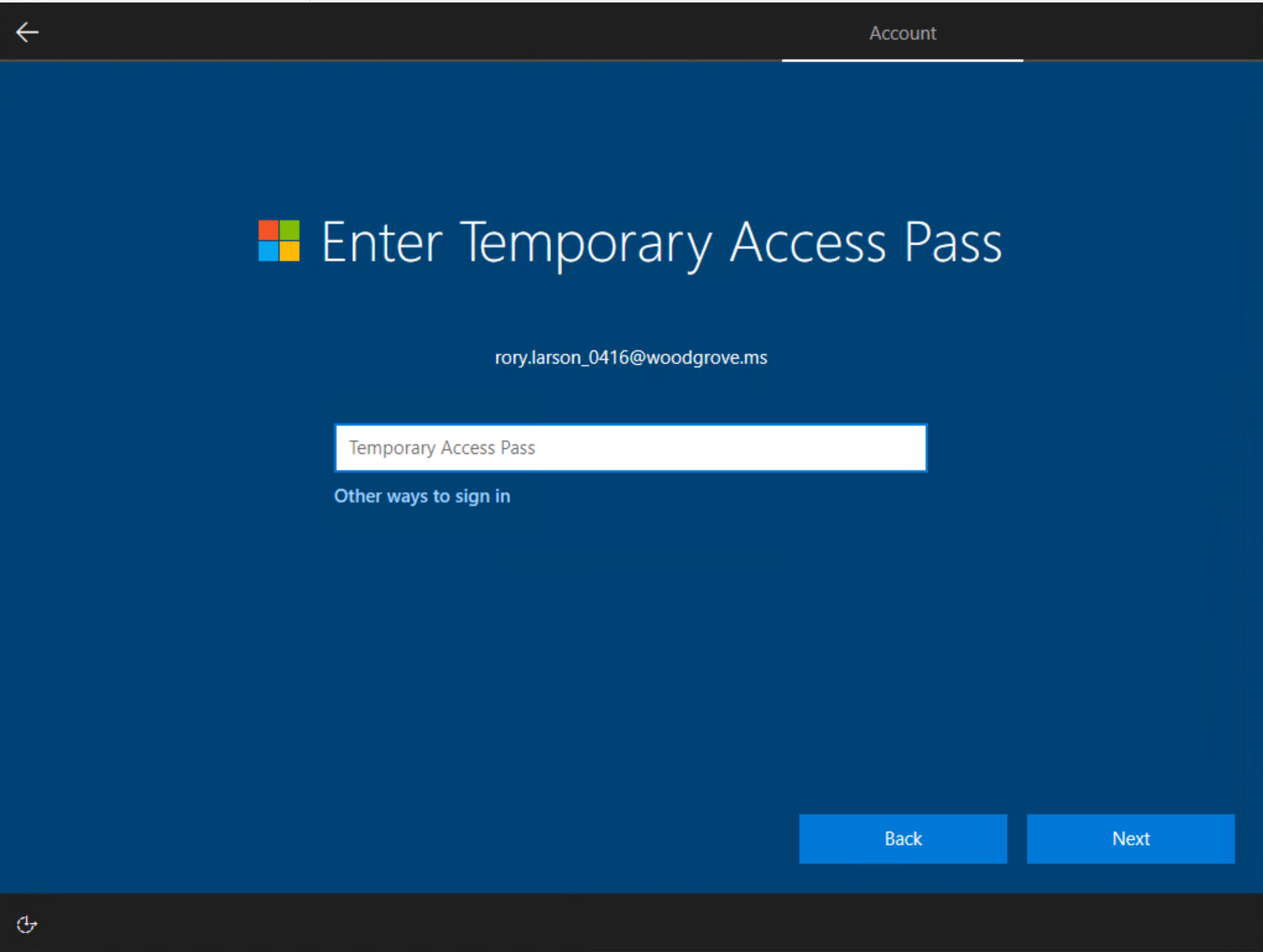
Temporary access pass is a new way for creating and onboarding new users with a kind of temporary password for the user. With temporary access pass, it is possible to implement passwordless authentication and MFA, SSPR, Windows Hello methods.

The Temporary Access Pass (TAP) function will set a temporary password for the users with an expiration time.

Passwordless authentication methods, such as FIDO2 and the passwordless phone sign-in via the Microsoft Authenticator app, allow users to securely log in without a password. Before the Azure AD Temporary Access Pass feature, enrolling new and resetting current passwordless authentication methods was not the most user-friendly part.

TAP is a time-limited passcode issued by an admin and can be used to onboard other passwordless authentication methods. The main reason; TAP makes recovery easier when a user has lost or forgotten their strong passwordless authentication. The feature is a good start for a completely passwordless environment in the function and stops the use of permanent passwords within the environment.

TAP also makes recovery easier when a user has lost or forgotten their strong authentication factor such as a FIDO2 security key or Microsoft Authenticator app, but needs to log in to register new strong authentication methods. It may sound a bit complicated if you have no ICT knowledge, but you will find that it saves a lot of time and irritation for the user.

This is a super handy feature that we love to use for our customers. #superlogical right? May we help you further with this? take contact on with our team.


Recent blogs

kwantumcomputers
Blog
What are quantum computers? And why is everyone suddenly talking about them?
Chances are you've been hearing more and more about quantum computers in recent months. In the news, on LinkedIn, or perhaps even during conversations about AI and cybersecurity. Especially now that a Dutch chip developer is gaining global attention with a new generation of quantum chips, the technology suddenly seems closer than ever. But what exactly is a quantum computer? And why is so much expected of it? From Ordinary Computer to Quantum Computer To understand quantum computers, it's helpful to first look at how a normal computer works. A traditional computer — like your laptop or server — works with bits. A…
frankberry
Blog
With our feet in the mud
Here we are. Not quite recognizable anymore, thanks to AI trying to protect children. Understandable, of course. But believe us: these really are Berry and Frank. More than ten years apart, but in reality, we've always been brothers from another mother. And what do we have in common? A lot... and at the same time, almost nothing. Berry is often the good cop. Calm, down-to-earth, and always working to get things done. I'm usually the bad cop. Direct, critical, and always looking for ways to improve. But that combination is precisely what works. What completely unites us, though, is our love for...
Macadmins Leiden
Blog
MacAdmins Meeting: What's relevant for your organization?
Last week, we attended the MacAdmins Meeting in Leiden. It's a gathering focused on Apple administration, security, and innovation. What stood out? Developments are moving fast. But more importantly: they are becoming increasingly relevant for SMEs. We'd like to share the key insights with you. What's happening? And what does that mean for your organization? Running AI Locally: Control Over Data and Costs AI is now everywhere. But one question remains central: where does your data reside? A significant topic during the meeting was running AI models (LLMs) locally. Instead of relying on external cloud platforms, more and more...

A newsletter

Superlogic right?