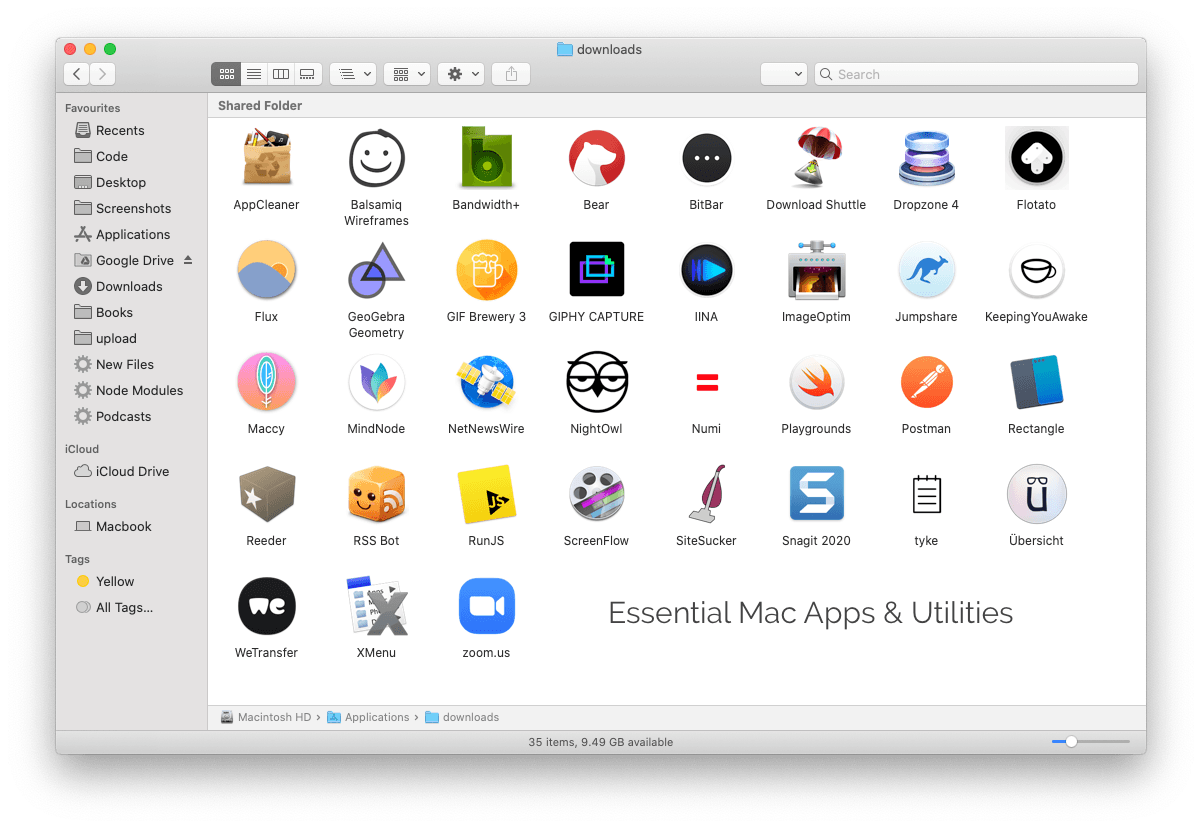
That we at Analyst ICT are apple minded is obvious. After all, we are one of the few Apple Consultants. As Apple Consultant we know exactly what is possible with the “standard” apple applications and hardware. But what are the best tools and software packages. Below is a list of the programs and tools that we definitely install on our own Apple computers and enjoy every day.
- Magnet - A perfect window management application for Mac that lets you move windows and resize them with configurable keyboard shortcuts. You can also move windows between multiple displays. An alternative is Rectangle.
- ImageOptim - Always run your images through ImageOptim before uploading them to your Web site. The Mac app will reduce the size of your image files without affecting the visual quality.
- HiddenMe - If your Mac's desktop is full of folders and files, you can hide all icons with a single click or a hotkey.
- Site Sucker - Download entire websites including images, PDF files and mirror them on your local drive for offline browsing. Like wget (linux), but with a visual interface.
- App Cleaner - The best uninstaller for your Mac that automatically removes all extra files left on the disk when you uninstall an application.
- Maccy - A clipboard manager that saves everything you copy to the clipboard and lets you paste the copied fragments into other apps with a simple shortcut.
- Clean Me - Restore space on your Mac by deleting all system logs, cache and other temporary files.
- Dozer - An excellent alternative to the popular Bartender app. You can quickly change the order or even hide the icons that appear in the Mac's menu bar.
- NetNewsWire - A clean and fast RSS reader for your macOS.
- RSS Bot - You can access your RSS from your Mac's menu bar and get notifications when new articles are available. You can also apply filters to show only articles that match certain keywords.
- Flotato - It turns any Web page into a native Mac application that you can quickly open outside the Web browser.
- Latest - It scans your Mac's Applications folder and checks that all your installed applications are up-to-date. You can also update your outdated programs.
- Onyx - Perform system maintenance tasks to improve your Mac's performance, check disks and more.
- TinkerTool - It provides access to various configuration settings that are otherwise hidden on the Mac. For example, you can specify the default folder where Screenshots should be saved on the Mac.
- KeepingYouAwake -It keeps your Mac awake and also prevents your screen from falling asleep. If you need more features, use Amphetamine.
- Shifty - Easily switch between dark and light mode on your Mac. You can also decide which of your Apps or websites should remain light while your system is running in dark mode. See also NightOwl.
- IINA - A modern alternative to VLC Media Player with support for gestures and the touch bar on newer Macs.
- HyperSwitch - An enhanced window switching application for Mac that improves your standard Command + Tab experience when switching between open applications.
- TextBar - You can specify system commands and the app adds the text output of those commands to the menu bar. For example, ipconfig getifaddr en0 will show your current IP address.
- Tyke - A minimalist notepad app that sits in the menu bar and allows you to quickly save notes.
We will update this list in the coming time and share more tips with you #superlogical anyway! Do you have a tip for us? Or need help with your Apple devices on your network? Then please take a moment contact on.